 FlightWifi
Guides
How to Get Free In-Flight Wi-Fi on 13 Popular Airlines (and Actually Connect)
Who flies free, what the free tier really includes, the network name and portal address, and the one step to do before boarding, for Emirates, Qatar, Singapore, Lufthansa, United and eight more. Checked against each airline's own pages.
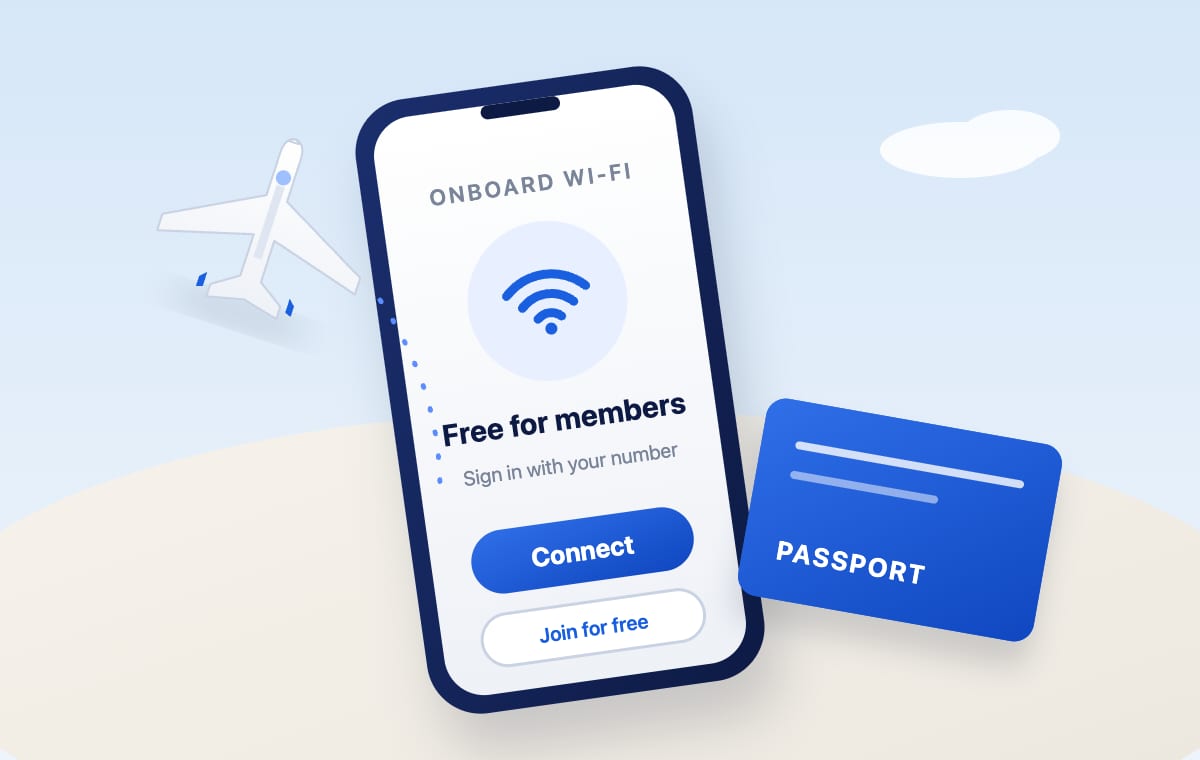
Every airline now says it has Wi-Fi. Fewer say plainly who gets it free, and almost none tell you the two things that decide whether you are online ten minutes after take-off or still staring at a spinning login page: the exact network to join, and the one step you needed to do before you left home.
This guide covers 13 airlines people ask about most. For each one: who flies free, what the free tier actually includes, the network name and portal address from the airline's own instructions, and the catch. Every connection step was checked against the airline's own Wi-Fi pages in September 2026, and each airline's name links to its FlightWifi page, where the per-aircraft verdict updates as the registry changes.
Two rules apply to almost every airline below. Free usually means free for members of a loyalty programme that costs nothing to join, so join on the ground. And free does not mean fast: on most of these airlines the free tier runs over high-orbit satellite, which is fine for mail and browsing and useless for a video call. The exceptions are the Starlink-fitted aircraft, and those are marked.
Before you board: the three-minute checklist
- Join the airline's free loyalty programme now, not from seat 34C over satellite. Every free tier below except Qantas, Air India, Japan Airlines' first hour and the first 45 minutes on Qatar is a member perk.
- Add your membership number to the booking. Singapore Airlines wants it at least 1.5 hours before departure, Emirates before the flight, Cathay Pacific at booking or check-in. Without it the portal does not know you qualify.
- Save the portal address for your airline from the list below. When the login page fails to appear, typing it is the fix nine times out of ten.
- Know which system your aircraft carries. On a mid-rollout airline the same flight number can be Starlink on Tuesday and a 2015 satellite system on Wednesday. The FlightWifi extension shows this on the exact aircraft while you search.
Emirates
Emirates runs two very different products depending on the aircraft. On Starlink-fitted 777s and A380s the Wi-Fi is free for everyone in every cabin, and Emirates itself lists video calls among the things it is for. As of July 2026 that meant 33 Boeing 777s and 3 A380s, with the airline converting roughly 14 aircraft a month toward all 232 widebodies by mid-2027.
On the rest of the fleet the older OnAir system is tiered by Emirates Skywards status. Members travelling in First or Business get free Wi-Fi for the whole flight, Platinum members get it in any cabin, and Blue, Silver and Gold members in Premium Economy and Economy get free unlimited chat covering WhatsApp, Messenger and similar apps. Children's Skysurfers accounts are excluded. Paid full-flight plans run US$9.99 to US$19.99 depending on flight length, and Emirates notes that streaming is restricted on this system.
- Add your Emirates Skywards number to the booking in the app or through Manage your booking before you fly. Emirates says this is required for the free tiers.
- After take-off, connect to the OnAir network on a legacy aircraft, or the Starlink network on a fitted one.
- Log in with your Skywards details, then pick the free option or a paid plan.
Qatar Airways
Qatar Airways has the largest Starlink widebody fleet in the world: all of its 777s, A350s and 787-8s plus the first 787-9s, 150 aircraft as of 20 August 2026, with the remaining 787-9s due by the end of the year. On those aircraft everyone gets 45 minutes free and Privilege Club members get the whole flight, gate to gate at selected airports. Joining Privilege Club is free and can be done from the portal.
The catch is the aircraft. Qatar's A380s and A330s still carry the older Inmarsat GX system, where Privilege Club members get a free one-hour pass and everyone else pays, and its A320-family narrowbodies have no Wi-Fi at all until the final phase of the Starlink programme.
- On board, connect to the onboard Wi-Fi network and open the portal.
- Take the 45 free minutes, or sign in with your Privilege Club details for the full flight. Not a member? Join from the portal.
- Check the aircraft type on your booking: 777, A350 or 787 means Starlink, A380 or A330 means the legacy system.
Singapore Airlines
Singapore Airlines gives unlimited free Wi-Fi to Suites, First and Business passengers, to PPS Club members and their supplementary cardholders, and to KrisFlyer members in Premium Economy and Economy. Non-members pay US$3.99 for an hour, US$8.99 for three hours or US$15.99 for the flight. The system is high-orbit satellite today, so it suits messaging, mail and browsing rather than calls. Starlink installations on the A350 and A380 begin in the first quarter of 2027.
- Add your KrisFlyer number to the booking under Manage Booking at least 1.5 hours before departure, or at the check-in counter at the latest. Singapore Airlines is explicit about this deadline.
- Above 10,000 feet, about 15 minutes after take-off, select the KrisWorld network. The portal should open by itself; if not, type kw.sq.com.
- Choose the complimentary plan. Not a member yet? The portal has a Join KrisFlyer form that issues a Wi-Fi code on the spot.
- Turn on Auto-Join for the KrisWorld network so your device does not drop off mid-flight.
Turkish Airlines
Turkish Airlines makes the free tier a function of cabin and Miles&Smiles status on international flights. Business Class passengers with Elite or Elite Plus status get unlimited internet, and Business Class otherwise gets 1 GB. In economy, Elite and Elite Plus members get 400 MB, Classic Plus members 250 MB, and Classic members messaging only. Unlimited messaging is included at every tier. Paid passes can only be bought during the flight, and the airline notes that both free and paid quotas vary with flight time and aircraft type.
- Join Miles&Smiles before you fly, or use the membership form on the Wi-Fi login page on board. Turkish Airlines says the form is enough to unlock messaging.
- Above 10,000 feet, switch to airplane mode, turn Wi-Fi on and open the login page.
- Sign in with your Miles&Smiles details to draw down your free quota.
Lufthansa
Lufthansa is the newest entry here. Since 19 August 2026 its first Starlink aircraft, an A320neo, has been flying with Lufthansa Group Wi-Fi: free in every travel class for anyone with a Travel ID or Miles & More number, gate to destination. Up to ten more A320-family aircraft follow by the end of 2026 and around 850 group aircraft by 2029. Everything else still carries FlyNet, where messaging and internet are sold in tiered packages.
- Create a free Travel ID on lufthansa.com before you fly, or use your Miles & More number.
- On a Starlink aircraft, connect to the Lufthansa Group Wi-Fi network and sign in with that ID. Lufthansa says one login will work across all group airlines as they convert.
- On a FlyNet aircraft, the same portal sells the messaging and internet packages.
Air France
Air France offers free, unlimited Starlink Wi-Fi in every cabin, reserved for Flying Blue members. Joining is free and can be done on board in a few clicks. By June 2026 nearly 60% of the fleet was converted, with the rest due by the end of the year. Aircraft still waiting carry the older paid system.
- Turn airplane mode on and, if you use a VPN, turn it off before you log in. Air France's own instructions say so.
- Select the AirFranceWifi network. If the login portal does not open, type wifi.airfrance.com.
- Sign in with your Flying Blue email or membership number and password.
United
United gives free Starlink Wi-Fi to MileagePlus members only, on flights operated by Starlink-equipped aircraft. MileagePlus is free to join. United said more than 400 aircraft were equipped in June 2026 and expects close to 1,000 by the end of the year, with widebodies finishing in summer 2027. Aircraft not yet converted still use United's older providers, where MileagePlus members get a discount and can pay with miles rather than flying free. Voice and video calls are prohibited on United Wi-Fi whatever the system.
- Join MileagePlus before you fly.
- United says you will get a notification before departure if the flight is Starlink-equipped, and the flight status page shows a banner.
- On board, connect to United's Wi-Fi network and sign in with your MileagePlus account. On Starlink aircraft every device can be online at once.
Delta
Delta makes Delta Sync Wi-Fi free for SkyMiles members on more than 800 aircraft, covering most domestic and international flights, with no limit on the number of devices. It is not available on Asia routes yet, coverage over Alaska is limited, and some regional jets still charge on select routes. Non-members can buy a Flight Pass on board. The system is high-orbit Viasat, good for mail and browsing; Delta's low-orbit Amazon Leo service does not start until 2028. Voice and video calls are not allowed.
- Switch to airplane mode, turn Wi-Fi on and choose the DeltaWiFi.com network.
- If the sign-in page does not open, go to deltawifi.com in your browser.
- Enter your SkyMiles number and password, or choose Join for Free.
British Airways
British Airways is between two systems. On its five Starlink-equipped 787-8s the Wi-Fi is free in every cabin. Installations paused for the summer and resume at the end of October 2026, with the remaining 787-8s and then the 787-9s next. On the rest of the fleet the free tier is messaging only, for members of The British Airways Club: WhatsApp, iMessage, Messenger, Teams chat and text-only email. Non-members pay £1.99 to £2.99 for messaging on short-haul and £2.99 to £4.99 on long-haul, and browsing or streaming is a paid package for everyone.
- Join the BAWi-Fi network, then enable Flight Mode once cruising above 10,000 feet.
- Pick your device carefully. BA does not let you switch a session between devices.
- The .air homepage should load; if not, type shop.ba.com. Tap the free messaging banner and sign in or sign up to the Club.
Japan Airlines
Japan Airlines is unusually generous with no membership required. On international flights every passenger gets the one-hour plan free, and First and Business passengers get unlimited free Wi-Fi. Longer plans cost US$14.40 for three hours or US$18.80 for the flight, with no data limits, and JAL Card holders pay a little less. Domestic flights are free for everyone.
- Turn on airplane mode, then Wi-Fi, and select the Japan Airlines or JAL-WiFi network.
- If the portal does not appear, type jal-wifi.com. Or tap Inflight Wi-Fi Connection in the JAL app, updated before boarding.
- Choose the free one-hour plan. The hour counts from first login.
Cathay Pacific
Cathay Pacific is free for First and Business passengers, for Diamond members, for Gold members in any cabin since December 2025, and for Premium Economy passengers who attach a Cathay membership number to the booking. Everyone else pays: US$3.95 for messaging, US$9.95 for an hour, US$12.95 for a full flight under six hours and US$19.95 to US$24.95 for longer ones, with no data caps.
- Add your Cathay membership number when you book or at check-in. That is what unlocks the Premium Economy free tier.
- In airplane mode, connect to the Cathay Pacific network. If no page pops up, enter wifi.cathaypacific.com.
- Cathay emails a receipt with login details, which you can use to move the session to another device.
Qantas
Qantas is the simplest entry here: free for every passenger in every cabin on Wi-Fi-connected aircraft, unlimited data, no login and no loyalty number. Domestic 737s and A220s have it, the international 787 fleet was completed in July 2026, and A380 retrofits run into 2027. Outside Australia and New Zealand Qantas describes the connection as varied, meaning messaging and browsing work but video streaming may not, though the ViaSat-3 satellite covering Asia-Pacific entered service on 31 August 2026.
- Check the Qantas app 24 to 48 hours before departure to see whether your flight has Wi-Fi.
- Enable Flight Mode and select the Qantas Free Wi-Fi network.
- Follow the prompts on the You're connected screen. If nothing loads, type wifi.qantas.com.
Air India
Air India offers free Wi-Fi, described as complimentary for an introductory period, on flights operated by its A350s, Boeing 787-9s and select A321neos, domestic and international. The 787-8s, the 777s and the rest of the fleet have no Wi-Fi until the Hughes rollout starting in 2027, so the aircraft type on your booking decides everything.
- Open Wi-Fi settings and select the Air India Wi-Fi network.
- On the portal, enter your PNR and last name.
- Connect. There is no membership or payment step.
The habits that actually get you online
Across all 13 airlines the failures are the same four.
- The portal never opened. Airplane mode first, then Wi-Fi, then open a browser and type the portal address: kw.sq.com, wifi.airfrance.com, deltawifi.com, shop.ba.com, jal-wifi.com, wifi.cathaypacific.com or wifi.qantas.com.
- The free tier is not showing. Your loyalty number is not on the booking. Singapore Airlines, Emirates and Cathay all say it has to be there before the flight.
- Login fails. Turn the VPN off to sign in, then reconnect it. Air France calls this out explicitly.
- You are online and the call drops. Not a fault. High-orbit systems add around 600 ms of delay, and Delta and United prohibit calls even on fast Wi-Fi. Here is what latency decides.
One more thing: free on which plane?
Eight of the 13 airlines above are somewhere between two systems. The same route can be a Starlink aircraft one day and a decade-old satellite system the next, and the airline's Wi-Fi page describes both as if you will get the better one. The FlightWifi extension reads the exact aircraft on every Google Flights, Skyscanner and Rift result and shows which one you are actually booking. It is free, collects nothing, and the dataset behind it is open.
Method: every connection step above comes from the airline's own Wi-Fi instructions or newsroom, read in September 2026. The fleet and pricing facts come from the same registry that powers the extension, with sources listed on each airline's page.
Frequently asked questions
Which airlines give free Wi-Fi with no loyalty account at all?
Qantas on all Wi-Fi-connected aircraft, Japan Airlines for the first hour on international flights and all of domestic, Air India on its A350, 787-9 and select A321neo flights, Qatar Airways for 45 minutes on Starlink aircraft, and Emirates and British Airways on their Starlink-fitted aircraft. Everywhere else, free means free for members of a programme that costs nothing to join.
Do I have to add my frequent flyer number before the flight?
On Singapore Airlines yes, at least 1.5 hours before departure or at check-in. Emirates says to add it before the flight, and Cathay Pacific needs it at booking or check-in for the Premium Economy free tier. United, Delta, Air France, Lufthansa, British Airways and Turkish let you sign in on the portal instead.
Why won't the Wi-Fi login page open?
Usually airplane mode was not on before Wi-Fi, a VPN is intercepting the redirect, or the captive portal simply did not fire. Turn airplane mode on, then Wi-Fi, turn the VPN off, and type the airline's portal address: kw.sq.com, wifi.airfrance.com, deltawifi.com, shop.ba.com, jal-wifi.com, wifi.cathaypacific.com or wifi.qantas.com.
Is free airline Wi-Fi good enough for video calls?
Only on low-orbit Starlink aircraft, and only where the airline allows calls. Emirates, Qatar Airways and British Airways Starlink aircraft can carry a call. Delta and United prohibit voice and video calls on any system. The high-orbit systems that Singapore Airlines, Turkish, JAL, Cathay and Delta run today handle mail and browsing but not live calls.

Know before you book.
FlightWifi shows these verdicts inline on Google Flights, Skyscanner and Rift, matched to the exact aircraft on your flight.
The extension itself runs in Chrome on a computer. What it does.